Introduction
Welcome to our tour of Wheelhouse. Wheelhouse is a comprehensive manufacturing operations platform designed to streamline your entire business process from initial customer contact through final product delivery.
Order Management
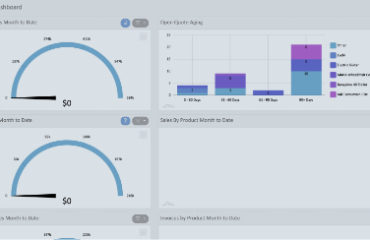
Let’s begin with order management, where we’ll see how Wheelhouse streamlines your operations from initial order entry through production and delivery. Starting at the login screen, we’ll sign in as a customer service agent to demonstrate how easy it is to enter orders in Wheelhouse. The dashboard provides us with up to the minute quote and sale information. To create an order, we navigate to order management in the left menu. It allows users to manage orders from start to finish. With just a couple clicks, we can create a new quote and start adding products.
For this example, we’ll add an electric guitar to our order. Since it’s a configurable product, the configurator opens. Wheelhouse captures your team’s knowledge, making everyone, even customers, product experts. It streamlines training and empowers confident ordering with accurate pricing and manufacturable configurations. And configurators guide option selection seamlessly.
Let’s dive into how our guitar configurator works. The body style is a required selection and a warning appears if it’s not chosen. Once selected, a friendly message confirms that the recommended configurations have been applied.
Next, we choose the neck design style and angle with default selections already in place. The headstock shape automatically matches the body style. Selecting a bridge system is straightforward with descriptions for each option and incompatible options are hidden to prevent errors.
The control layout is recommended based on the body style offering only compatible options. Strings can be chosen from a drop down to select the desired gauge size and accessories are displayed to provide commonly chosen add-on items.
When the configuration is complete, we save and close to add the guitar to our quote. From the product dropdown, we can view an itemized list of everything we’ve selected so far. Let’s add an amplifier to the quote as well. Since it’s a non-configurable product, it will be added to the quote instantly without requiring further customization. With our quote finalized, converting it to a sale takes just a few quick steps.
From the sales tab, we can quickly check on the production status of sales. Once production has completed manufacturing the guitar, our sale is ready for the final step, invoicing. We can quickly convert our sale to an invoice and send it to our customer via email. Invoices can be transferred to QuickBooks Online or other accounting software, where accounts receivable can be tracked to complete the process. This concludes our order management tour.
Production
Let’s take a look at production in Wheelhouse. We’ve covered the order management process of creating a quote, converting to a sale, and sending an invoice. Now, we turn to production, which takes place between the sale and invoice stages of order management.
Let’s sign in as a production admin and take a closer look at how we can use the routing manager to handle the entire production process. Once a sale is released, it moves to the next stage where a job is created to begin manufacturing, assembly, and preparation for shipment. With a few steps, we can create a new job from the sale we’ve been working on with work orders for each of our items.
Once the work order is ready, the production manager can preview the routing by selecting the record. The process is now handed off to a production agent using the workflow app. The work order can be started by dragging and dropping the first step from ready to running or by simply scanning the QR code of the work order upon its arrival at their work center. Agents can then open the steps interface to access comprehensive step-by-step instructions for the operation. This streamlined guidance ensures tasks are completed accurately and efficiently, minimizing errors.
Once the procedures are fulfilled, we can complete the first step in warehouse and move on to fabrication. Before starting fabrication, it looks like we have a blocking issue to handle. This issue prevents a production step from being completed, such as a machine being down. To handle this, we can stash the order by placing it on a specific predefined shelf location, ensuring it’s easy to find when the machine is repaired. After the issue is resolved,7 we can start the step by dragging it into the running area or scanning the QR code to continue the process. Once all work orders are completed, the job is finalized, marking the sale as ready for invoicing in order management. This wraps up our tour of production.
Engineering
Let’s explore how manufacturers can set up their own products and routing in Wheelhouse.
The item designer is how products are created and configured in Wheelhouse. Users define product categories, options, and components making them customizable for orders. Products in Wheelhouse are organized using a hierarchy starting with categories. Categories serve as the top level structure grouping similar aspects of a product. Within each category, there are option groups that further organize choices. For instance, the body style group includes options like arrow and legacy body styles. This hierarchy gives manufacturers full control over product design and wheelhouse.
The routing designer defines the production flow for your products, outlining the precise steps required to move from raw materials to a finished product. For the electric guitar, this includes steps like preparing the guitar kit in the warehouse and then fabricating the body and neck in fabrication. New routes can be made by clicking and dragging between operations, updating Wheelhouse in real time.
Every operation defined in the routing designer seamlessly integrates with the workflow app where production employees carry out their tasks on the shop floor. When an operation is completed in the workflow module, such as the assembly and delivery of a guitar kit, the system automatically updates the order management module in real time. In our next video, we’ll explore how Wheelhouse streamlines inventory management and automates purchasing through its integrated purchasing and receiving module.
Purchasing and Receiving
To wrap up the tour, we turn to purchasing and receiving. Wheelhouse employs multiple inventory tracking methods to ensure both redundancy and efficiency in your operations. Incremental tracking is where inventory is monitored based on ordering and the products bill of materials. As inventory receipts come in, stock levels increase. When work orders are completed, stock levels decrease. This provides clear visibility into real time inventory levels.
The next method of inventory monitoring is via Wheelhous’s integrated kanban process. Here’s an example with a flow rack system. Each row contains the same part type with boxes sliding from left to right. When workers take box A1 from the picking side, they scan its kanban card. This adds the specified quantity from the card to the replenish queue, which can then be approved for a new purchase order. The remaining boxes slide forward and before the last box is consumed, new inventory arrives at the loading side, maintaining continuous flow of materials to the workstation.
Here’s an example of a kanban card. Wheelhouse can autogenerate these cards for manufacturers so it’s easy to print and use them on inventory items. While kanban works well for managing larger items, a different approach is used for small low-cost items like screws and bolts. This is called a reorder point system. When inventory drops to a specific minimum level, let’s say 1,000 bolts, it triggers a larger bulk order, like 7,000 bolts. This ensures cost-effective ordering for these high-volume, low-cost components.
Let’s tour Wheelhouse’s purchasing and receiving area to see how manufacturers can order inventory. Here in the buy queue, we can scan or enter kanban cards that have been pulled from inventory bins. Once we add a kanban card to the queue, we can create the purchase order with the predetermined quantities from the card. This maintains the pullbase system where physical inventory consumption drives purchasing activities. This concludes our guided tour of Wheelhouse.
Contact us to discuss your use case at wheelhousemfg.com, and thanks for watching.